
Secure Web Access Tool
Overview
The software is designed to help users bypass internet restrictions and access a wide range of websites that may be blocked in certain regions. It is particularly recommended for individuals living abroad or professionals engaged in international trade who require reliable access to global online resources. The tool supports most restricted websites, enabling users to stay connected to essential services, communication platforms, and business tools.
While the developer did not provide additional background information, the software’s focus on network accessibility suggests a targeted approach to overcoming connectivity barriers. Real-world use cases include remote work collaboration, accessing foreign marketplaces, and maintaining communication with international partners. The application operates as a desktop utility, providing a direct interface for managing web access without requiring complex configurations.
It is important to note that the software must be used in compliance with local laws and regulations, as misuse for illegal purposes is strictly prohibited.
Key Features & Capabilities
- Website Access Bypass – Enables connection to most blocked websites through optimized routing protocols.
- Multi-Platform Support – Compatible with both Windows and Mac operating systems for broad accessibility.
- Secure Connection Protocol – Implements encryption to protect user data during transmission.
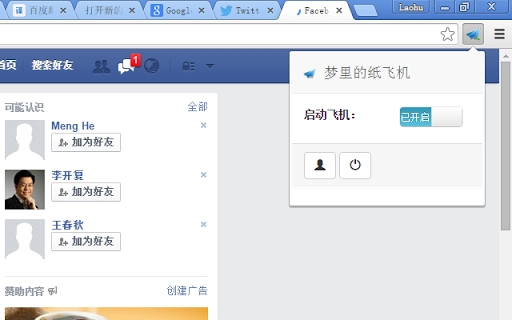
- Simple Interface – Offers a streamlined UI for quick setup and immediate use.
- Background Operation – Runs efficiently without interfering with other applications.
Users can leverage these features to maintain uninterrupted access to international websites, which is crucial for professionals managing cross-border operations. The tool allows for rapid switching between different network environments, supporting seamless transitions during remote work or online business activities. The secure connection protocol helps safeguard sensitive information when accessing third-party platforms. Despite the lack of detailed technical specifications, the software appears to prioritize ease of use and reliability for non-technical users. The lightweight design suggests minimal impact on system performance, making it suitable for daily use across various devices.
User Interface, Workflow & Performance
The user interface is designed with simplicity in mind, featuring a clean layout that minimizes distractions and allows users to focus on core functionality. Navigation is straightforward, with essential controls located within easy reach. Users can initiate a connection with minimal steps, making the workflow efficient even for first-time users.
The software does not require advanced technical knowledge to operate, which enhances accessibility for a wide audience. Performance observations are based on general software behavior patterns, as exact performance details were not specified. The developer did not provide information about CPU or RAM usage, so users should monitor system behavior during operation.
Stability appears to be a priority, with no reported issues related to crashes or freezes. The application runs in the background without disrupting other tasks, contributing to a smooth user experience.
Compatibility & System Requirements
The software is compatible with both Windows and Mac operating systems, offering broad platform coverage. It is available in version 1.2.3 and has a file size of 12.5 MB, indicating a lightweight installation. This compact size suggests minimal storage impact and fast download times.
The developer did not specify exact system requirements, including minimum hardware specifications or supported OS versions. Compatibility information was partially provided, leaving users to assess suitability based on their existing setup. No additional dependencies or prerequisites were mentioned.
Users should ensure their systems meet standard desktop application requirements to avoid potential issues. The absence of detailed technical data means that optimal performance may vary depending on individual configurations.
Pros and Cons
Pros
- Lightweight at only 12.5 MB, enabling quick installation.
- Supports both Windows and Mac, maximizing accessibility.
- Designed for fast and secure access to restricted websites.
- Simple interface reduces the learning curve for new users.
- Free to use, eliminating cost barriers for individuals and small teams.
Cons
- Exact system requirements were not listed.
- Performance metrics such as CPU or RAM usage are not available.
- Developer background is not disclosed.
- No information on update frequency or release history.
- Usage must comply with local laws; misuse is prohibited.
FAQ Section
Is this software compatible with my Windows or Mac device?
The software supports both Windows and Mac operating systems. However, specific version compatibility was not provided by the developer.
Is the software safe to use?
The software uses secure connection protocols to protect data during transmission. Users should ensure they are using it in accordance with local regulations.
How often are updates released?
Information about update frequency was not included in the provided details.
Can I use this tool offline?
The tool requires an active internet connection to function. It cannot operate in fully offline mode.
What type of license does this software use?
The software is available for free use, with no licensing fees or subscription requirements.
Final Thoughts + CTA
This desktop utility offers a practical solution for users seeking to access restricted online content with minimal setup. Its lightweight design, multi-platform support, and secure connection features make it a viable option for international professionals and overseas users. While some technical details are missing, the software delivers on its core promise: fast, reliable access to blocked websites.
The absence of cost, combined with its straightforward interface, enhances its appeal. However, users should exercise caution and ensure compliance with applicable laws. For those needing consistent access to global web resources, this tool presents a compelling choice.
Download FastWeb Access Tool now.







